Here at ClubRunner, we're beginning our week with some celebrations! We are proud to announce that the ClubRunner Mobile App is now available for Androids!
Your key to connect to your ClubRunner website on the go, the ClubRunner Mobile App is password protected and features 3 main modules along with numerous features bringing you even closer to connect, colloborate and communicate. Already available for iPhones, this app gives you the ability to browse through your member directory, view the latest feed of home page stories and even locate the nearest clubs that are within a specified range of your current location, right from your Android device. To learn more about ClubRunner's Mobile App, please click here.
To download the app from Google Play, simply type in 'ClubRunner' in the search bar. Best of all, it is all completely free!
We'd love to hear your thoughts! Please e-mail us your feedback and suggestions to feedback@clubrunner.ca.
Welcome to ClubRunner's BlogSpot
Welcome to ClubRunner's BlogSpot - the place to stay on the pulse of hot off the press news updates about product developments, service announcements, local events and so much more!
Also, you can initiate discussions and share information among fellow ClubRunner users.
Your feedback is always welcome and necessary to help us make ClubRunner better. We want to know what you like, what you don't and what's on your wish list. Please let us know how we can enhance our service.
Also, you can initiate discussions and share information among fellow ClubRunner users.
Your feedback is always welcome and necessary to help us make ClubRunner better. We want to know what you like, what you don't and what's on your wish list. Please let us know how we can enhance our service.
Tuesday, November 13, 2012
Saturday, November 10, 2012
Feature Updates!
Did you know that you can copy the path to your photo albums to your clipboard, so you can link to it from other areas of your site?
You now have the ability to obtain a URL for your photo albums so you can easily link back to them. To do so, simply click on the clipboard icon next to your photo album listing. This will copy the address to your clipboard, ready to paste into a link, email or place anywhere on your ClubRunner site!
Did you know that the termination date for a member can now be changed within the member's profile itself?
The termination date for a member can now be changed within the member's profile itself, whereas prior to release, to change a termination date, you would have had to change their status and then edit the termination date. If the RI Integration feature is turned on, any changes made to the termination date will automatically send a notification to RI for syncing purposes.
Should you have any questions, please feel free to contact our support team!
You now have the ability to obtain a URL for your photo albums so you can easily link back to them. To do so, simply click on the clipboard icon next to your photo album listing. This will copy the address to your clipboard, ready to paste into a link, email or place anywhere on your ClubRunner site!
Did you know that the termination date for a member can now be changed within the member's profile itself?
The termination date for a member can now be changed within the member's profile itself, whereas prior to release, to change a termination date, you would have had to change their status and then edit the termination date. If the RI Integration feature is turned on, any changes made to the termination date will automatically send a notification to RI for syncing purposes.
Should you have any questions, please feel free to contact our support team!
Friday, November 2, 2012
RI Integration - Compare & Synchronize! UPDATED
We've been a little quiet on the blog recently but that's only because we've been working on some great new features and functionalities to make your club administration tasks easier.
Our latest software release boasts even more improvement to the RI Integration functionality. In fact, we're very excited to release our new "Compare & Synchronize" feature.
Currently in beta, this new feature will allow you to compare your member data information as it appears on ClubRunner with what is available in Rotary Internationals' Member Access, giving you the option to push your member information directly from ClubRunner to Rotary International or pull your information from Member Access to populate your ClubRunner profile.
Therefore, if you notice a member's profile was inconsistent between ClubRunner and RI, you can simply push or pull the specific field data between ClubRunner and RI. This will allow you to clean up any data that was inconsistent before integration was enabled.
You can access it from the top menu bar under the RI Integration tab. Please note that you need to have an access level of 50 or better to access this report. Here, you will see a list of all your members. Simply click on the member's name to view a more detailed comparison of that member's contact details. You will then be directed to a chart that will display that member's information as it appears on both ClubRunner and RI. For any discrepancies, you'll have the ability to copy over either the ClubRunner value or the RI value by checking off the box for the corresponding field and then clicking on the arrow to reflect the direction of the copy. If the arrow is pointing to the right, that indicates you are pushing the data from ClubRunner to RI. Alternatively, if the arrow is pointing to the left, that indicates you are pulling the data from RI to the member's ClubRunner profile. Once you have selected all the values to sync, simply click on the Synchronize button. The system will then update the information in less than 24 hours.

The Compare & Synchronize report also displays a list of active members in ClubRunner who do not appear on the RI membership list. To add them to RI, simply click on the "Add member to RI" link.
Conversely, it also shows a list of active members that are listed on the RI database but do not appear on your ClubRunner list. To add them to ClubRunner, simply click on the "Add Member to ClubRunner" link.
We're proud to be the first to provide you with this feature and to be leading the way with the integration with Rotary International.
For more information on using this feature, kindly refer to our knowledgebase article, by clicking here.
We'd love to hear your feedback regarding this new feature. Let us know your thoughts by emailing us at feedback@clubrunner.ca
Our latest software release boasts even more improvement to the RI Integration functionality. In fact, we're very excited to release our new "Compare & Synchronize" feature. Currently in beta, this new feature will allow you to compare your member data information as it appears on ClubRunner with what is available in Rotary Internationals' Member Access, giving you the option to push your member information directly from ClubRunner to Rotary International or pull your information from Member Access to populate your ClubRunner profile.
Therefore, if you notice a member's profile was inconsistent between ClubRunner and RI, you can simply push or pull the specific field data between ClubRunner and RI. This will allow you to clean up any data that was inconsistent before integration was enabled.
You can access it from the top menu bar under the RI Integration tab. Please note that you need to have an access level of 50 or better to access this report. Here, you will see a list of all your members. Simply click on the member's name to view a more detailed comparison of that member's contact details. You will then be directed to a chart that will display that member's information as it appears on both ClubRunner and RI. For any discrepancies, you'll have the ability to copy over either the ClubRunner value or the RI value by checking off the box for the corresponding field and then clicking on the arrow to reflect the direction of the copy. If the arrow is pointing to the right, that indicates you are pushing the data from ClubRunner to RI. Alternatively, if the arrow is pointing to the left, that indicates you are pulling the data from RI to the member's ClubRunner profile. Once you have selected all the values to sync, simply click on the Synchronize button. The system will then update the information in less than 24 hours.
The Compare & Synchronize report also displays a list of active members in ClubRunner who do not appear on the RI membership list. To add them to RI, simply click on the "Add member to RI" link. Conversely, it also shows a list of active members that are listed on the RI database but do not appear on your ClubRunner list. To add them to ClubRunner, simply click on the "Add Member to ClubRunner" link.
We're proud to be the first to provide you with this feature and to be leading the way with the integration with Rotary International.
For more information on using this feature, kindly refer to our knowledgebase article, by clicking here.
We'd love to hear your feedback regarding this new feature. Let us know your thoughts by emailing us at feedback@clubrunner.ca
ClubRunner Mobile App - iOS6
Kindly note, the ClubRunner App is currently not fully compatible with iOS 6.0 and we hope to release an update soon.
We are aware that there is a compatibility issue which causes the app to malfunction. We will announce that a fix is available when we release an update.
We apologize for any inconvenience this may cause. Should you have any questions, please feel free to contact our support team.
We are aware that there is a compatibility issue which causes the app to malfunction. We will announce that a fix is available when we release an update.
We apologize for any inconvenience this may cause. Should you have any questions, please feel free to contact our support team.
Tuesday, October 9, 2012
Login Functionality (Update) - Resolved!
We are happy to report that the DNS related issue affecting certain
geographical areas now has been resolved. We are however continuing to monitor
and test this to ensure stability.
Our development team worked closely with our service provider to resolve this issue which was occuring intermittently for customers in certain geographical areas only, due to some difficulty with a DNS server.
Should you encounter any difficulties logging in or notice that this issue is still affecting you, please contact our support department so that we can look into it and assist you.
We sincerely apologize for the inconvenience this has caused and appreciated your patience and support as we worked to get this resolved.
Our development team worked closely with our service provider to resolve this issue which was occuring intermittently for customers in certain geographical areas only, due to some difficulty with a DNS server.
Should you encounter any difficulties logging in or notice that this issue is still affecting you, please contact our support department so that we can look into it and assist you.
We sincerely apologize for the inconvenience this has caused and appreciated your patience and support as we worked to get this resolved.
Login Functionality - Update
Please note, that there is a known issue that has been affecting the login
functionality in certain areas. It is an intermittent DNS issue that is
affecting certain geographical areas and is limited to the Administrative
section of ClubRunner.
While we are working on resolving this issue, you are able to work around the DNS name and login to your site with the following steps:
1. Go to your ClubRunner website and click on Login.
2. Replace www.crsadmin.com in the address bar with 38.117.75.71 and then press Enter
3. Type in your username and password and log in to the site.
Note that if you do send emails from the system, the links that are contained within the email may be broken or be blocked by certain email clients due to the usage of the IP address.
Our entire team is committed towards resolving this issue at the soonest possible time, and we will be posting updates to our Support Center at www.clubrunnersupport.com as well as Twitter @clubrunner.
We sincerely apologize for the inconvenience this has caused and appreciate your patience and continued support of ClubRunner.
While we are working on resolving this issue, you are able to work around the DNS name and login to your site with the following steps:
1. Go to your ClubRunner website and click on Login.
2. Replace www.crsadmin.com in the address bar with 38.117.75.71 and then press Enter
3. Type in your username and password and log in to the site.
Note that if you do send emails from the system, the links that are contained within the email may be broken or be blocked by certain email clients due to the usage of the IP address.
Our entire team is committed towards resolving this issue at the soonest possible time, and we will be posting updates to our Support Center at www.clubrunnersupport.com as well as Twitter @clubrunner.
We sincerely apologize for the inconvenience this has caused and appreciate your patience and continued support of ClubRunner.
Monday, October 8, 2012
Login Functionality
Currently, there is a known issue affecting the login functionality that is DNS related and is only affecting certain areas. It is intermittent and also ISP related. Our team is currently investigating this and we hope to get it resolved at the soonest possible time.
We sincerely apologize for the inconvenience this has caused.
Friday, October 5, 2012
Happy Canadian Thanksgiving!
Please note that Monday, October 8th is Canadian Thanksgiving and our office will be closed. We will reopen on Tuesday, October 9th at 9:00am EST.
Here's wishing all our fellow Canadians a Happy Thanksgiving! Have a safe and great long weekend!
Friday, September 14, 2012
Tip of the Week!
Did you know that advanced HTML users now have the ability to override the automatic resize feature?
Our latest feature release now includes a new image class: No Resize.
When users upload images, ClubRunner automatically resizes the images based on where it is being uploaded. Now, users well versed with HTML have the ability to override the stylesheet to prevent the system from automatically resizing the image by adding a style tag within the image. (ex:< img src=" link "style=" max-width:none;" >
For more information regarding this new feature, please do not hesitate to contact our support team!
Our latest feature release now includes a new image class: No Resize.
When users upload images, ClubRunner automatically resizes the images based on where it is being uploaded. Now, users well versed with HTML have the ability to override the stylesheet to prevent the system from automatically resizing the image by adding a style tag within the image. (ex:< img src=" link "style=" max-width:none;" >
For more information regarding this new feature, please do not hesitate to contact our support team!
Monday, September 10, 2012
Feature Updates!
From adding more currenices within our Dues and Billing module to adding filters in reports, we've been working on releasing some great new features within ClubRunner to make it even easier for clubs and Districts to manage their daily activities. These are just some of the latest features we have released!
Filters Added to Missing Email Address Reports
On the District site, you now have the ability to select member type (i.e.: Active, Honorary, Ex-Member, Staff, etc.) prior to running the report to find members with missing email addresses in their profile making it easier for you to locate the information you need.
Member Terminations Confirmation
Now when you terminate a member, you will see a popup that will tell you the various groups that the member will be removed from such as Custom Distribution Lists, Committees, Executive listing for current year, etc.

Dues & Billing - New Currencies Added
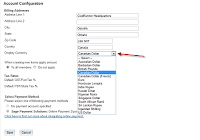
In order to accommodate our International clients, we`ve added new currencies in the system such that invoices can be created with currencies pertinent to the country. Our latest feature release includes the addition of Cayman Island Dollars. A full listing of the curriencies available can be accessed from the `Configuration Settings`page found in the Dues and Billing module.
Filters Added to Missing Email Address ReportsOn the District site, you now have the ability to select member type (i.e.: Active, Honorary, Ex-Member, Staff, etc.) prior to running the report to find members with missing email addresses in their profile making it easier for you to locate the information you need.
Member Terminations Confirmation
Now when you terminate a member, you will see a popup that will tell you the various groups that the member will be removed from such as Custom Distribution Lists, Committees, Executive listing for current year, etc.

Dues & Billing - New Currencies Added
In order to accommodate our International clients, we`ve added new currencies in the system such that invoices can be created with currencies pertinent to the country. Our latest feature release includes the addition of Cayman Island Dollars. A full listing of the curriencies available can be accessed from the `Configuration Settings`page found in the Dues and Billing module.
Subscribe to:
Posts (Atom)