Welcome to ClubRunner's BlogSpot


Welcome to ClubRunner's BlogSpot - the place to stay on the pulse of hot off the press news updates about product developments, service announcements, local events and so much more!

Also, you can initiate discussions and share information among fellow ClubRunner users.

Your feedback is always welcome and necessary to help us make ClubRunner better. We want to know what you like, what you don't and what's on your wish list. Please let us know how we can enhance our service.

Thursday, December 22, 2011

ClubRunner's Holiday Schedule

Happy HolidaysPlease note that ClubRunner's hours of operation will be reduced during the holiday season as noted below:

December 23, 2011 - 9:00am - 12:30pm EST
December 26, 2011 - Closed
December 27, 2011 - Closed
December 28, 2011 - 9:00am - 5:00pm EST
December 29, 2011 - 9:00am - 5:00pm EST
December 30, 2011 - 9:00am - 5:00pm EST
January 2, 2011 - Closed

We will resume our regular office hours on Tuesday, January 3. For assistance, please continue to use our help resources to access FAQ's and instructional guides:
Knowledgebase
How to Guides
On-Demand Videos
Submit a Ticket

Friday, December 16, 2011

Now Available - A New Cancellation Feature in MyEventRunner!

In our efforts to improve the MyEventRunner feature, we've introduced a new cancellation feature. Now event chairs can cancel a registration on MyEventRunner, while still maintaining a balance owing. A new button is now available in the "View Registration" screen to allow you to cancel a registration

Clicking on the button will prompt you for an optional cancellation fee, specified either as a percentage of the registration amount, or a flat fee. This will update the balance and keep that registration under a 'Cancelled' status. This means that the particular registrant will now longer appear in the various reports and nametags, but you will still be able to view the registrations within the online report, highlighted in red.

For more information on MyEventRunner or for any assistance, please contact our Client Services team.

Friday, December 9, 2011

Dues & Billing Update!

Did you know that the Dues and Billing module now features a new batch report for printing multiple invoices?

Now available, you can select specific members and download a single PDF document containing all their printable invoices, which makes it easier to print all invoices in one go. Still available is the ability to print individual invoices as well as to email selected or all invoices.

For further information or assistance, please contact out Client Services team. To view an on-demand tutorial covering the Dues & Billing module, please click here.

Friday, December 2, 2011

Tip of the Week!

Did you know that you can keep track of your dues with ex-members?

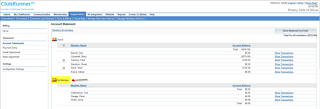
Ex-Members now also appear when creating invoices as well as in the Account Statements section of the Dues & Billing module. You can send invoices to ex-members and keep track of their transactions as well as perform credit and debit adjustments easily.

For any questions, please contact our Client Services team.

Friday, November 25, 2011

New Option in MyEventRunner Allows Registrants to Edit Form

Managing your event registrations just became easier. MyEventRunner now features a new option in the Setup page to allow registrants to edit their registration after they have paid.

This can be enabled on a per event basis. The confirmation email that is sent after a successful registration will include a link to allow the registrant to go back and make changes to their registration, provided the resulting total amount is equal to or higher than their original total.

For example, instead of purchasing just one add-on, if the registrant decided they would like 2, this is possible. The link will bring up the original form so that changes can be made, and then the final payment step will request payment of the difference. If the registrants decides to cancel an add-on or downgrade to a lower package, they cannot do so online and will be prompted to contact the event chair as this will require processing a refund according to the event's policies.


For more information on MyEventRunner or for assistance, please contact our Client Services Team.

Friday, November 18, 2011

Start and End Dates and Times added in MyEventRunner


We've added 2 new fields to the Setup page for MyEventRunner - event start date and time as well as the end date and time. We've also incorporated time into the Registrant start and end dates, so you can decide exactly when your event is closed for registration. Please note, however, the times used in these fields are preset to Eastern Time.

For more information about MyEventRunner and our latest changes, contact our Client Services Team.

New Field Available in Member Profile - Preferred Phone

A field that has been requested by many, we've now added a 'Preferred Phone' field in the Member Profile. Now members can select which phone type is their preferred one as it appears in various places such as the website, club directories and printable reports. Located in the Personal tab of the member profile, each member can choose between Home, Business or cell. This field has also been added to the Dynamic eDirectories as an option.

Friday, November 11, 2011

MyEventRunner - Registration Save Method Changed

An important change has been made to MyEventRunner in regards to the time when the registration is saved. In the past, it was saved the moment the user lands on the Payment Options screen. Oftentimes, users abandoned the screen at that stage if they weren't ready to make a purchase, but the registration appeared in the list, and a confirmation email was sent. This left the event chair with the task of contacting the registrant to find out what their intentions were.If the user decided to register at a later time, this would result in duplicate registrations.

The change that was implemented was to save the registration only when the payment is completed, whether it's via credit card or by pressing the button to indicate payment by check. We added notes to that screen to ensure the user is aware that the registration is not saved until either of those two actions are taken. Note however that should the credit card transaction fail, the registration is still saved. A note will appear for the event chair to indicate this in the reports. This is to make it easier for the registrant to retry at a later date by accessing the link in his or her confirmation email.

For further information on this change, please contact our support department.

Friday, November 4, 2011

Site Pages Added to Menu Bar!

Menu BarWe've made it easier to link to your site pages from the top navigation menu in Website Designer - a new type of link has been added in the Menu Item screen called 'Site Pages'. Once clicked, you'll see your site page structure (including nested site pages) from which you can navigate through and select the desired page.

For any questions, please contact our support department.

Friday, October 28, 2011

eDirectory Builder 2.0 Released for Clubs!

Now available to clubs, the eDirectory builder 2.0 will allow you to design and build your own custom reports! This module allows you to create reports and design everything from the layout, sections, data sources, and fields in order to create unlimited reports that your members can access in the members only area.

To access this new and powerful feature, click on the new Reports tab in your Admin page. For more help and guidance, please visit the ClubRunner Support Center.