Welcome to ClubRunner's BlogSpot


Welcome to ClubRunner's BlogSpot - the place to stay on the pulse of hot off the press news updates about product developments, service announcements, local events and so much more!

Also, you can initiate discussions and share information among fellow ClubRunner users.

Your feedback is always welcome and necessary to help us make ClubRunner better. We want to know what you like, what you don't and what's on your wish list. Please let us know how we can enhance our service.

Monday, May 30, 2016

Rotary Convention Day 3 Recap

Another great day, today we held multiple demo and training sessions going over all the tools that can help you improve your Public Relations.


The day began with a series of sessions on the Website Designer, where we showcased our Next-Generation website themes and went over all the best practices to remember when editing your website, such as:
  • Visualization: capture the attention of your visitors with imagery because as the saying goes, actions speak louder than words. Showcasing your club from a visual standpoint promotes your club much more effectively because you're able to give your visitors a better sense of what your club is about immediately. Use the built-in photo carousel as a banner to immediately create that visual effect.
  • Content is king: The fact is simple. An updated website will draw many more visitors than one that displays outdated information. Add content quickly using the custom widgets and stories.
  • Ease of navigation: Your website is the first place visitors come to learn more about your club, so if they can't navigate from one page to another easily to access the information they need, that impacts your bottom line. Categorize and sort your pages and link them directly to your navigation menu.
As the day progressed, we hosted a series of sessions related to Public Relations where we then went over integrating your social media channels with your ClubRunner site, building multiple bulletins for your segmented recipient groups and connecting with your club on the go through our mobile app.

We also got some great feedback on what you would like to see in ClubRunner. Thank you for taking the time to sit with us and give us your detailed suggestions.

If you haven't already, be sure to like our page on Facebook to view all the vlogs we're posting from the convention as well as photos throughout the day.

On to Day 4, stay tuned for more!

Sunday, May 29, 2016

Rotary Convention Day 1 & 2 Recap

We've been looking forward to this convention all year and finally made it to Seoul, Korea, with some very exciting features to showcase. With more than 43,000 Rotarians attending, the RI convention hashtag for this year, #Rotary16, became a trending topic on both Facebook and Twitter hours before the official opening ceremony. Needless to say, there is a lot of exciting information to share.


Days 1 and 2


We started Day 1 by revealing our brand-new, soon to be released Bulletin Wizard module, and the reactions have been spectacular. If you haven't already caught a sneak preview, click here to view what's coming.

Over the past two days, a recurring challenge we've heard clubs are facing is engaging with their members and non-members and attracting younger members; both of which can be overcome with ClubRunner! In fact, the new Bulletin Wizard and the Contacts module work together to let your club create your message using a branded email template and send it to the right audience at the right time.

At our Next-Generation Website theme Upgrade Station, we've been helping clubs switch their website themes to the newest templates and have hosted some great sessions at our booth going over the importance of a modern looking up-to-date website and what to do to attract the younger generation.

Our team also set up multiple stations at our booth to present all of our latest features, including the Contacts module, Attendance 3.0 and even Volunteers, and have also been going over some of the updates coming soon, such as the RI Database Integration Update, which will offer more options for integration.

If you haven't already, be sure to like our page on Facebook to view all the vlogs we're posting from the convention as well as photos throughout the day.

On to Day 3, stay tuned for more!


Friday, May 20, 2016

Rotary International Upgrade

Official Rotary International Licensees can now offer even more options for data integration! 


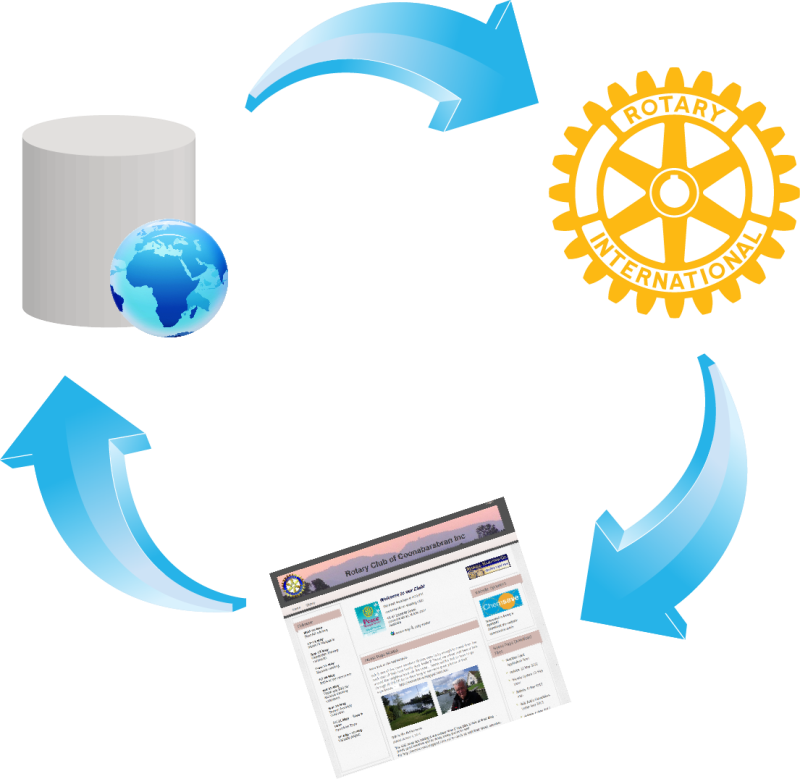
Over the past few months, we've been working with Rotary International's Data division to upgrade the current data sync feature as part of our new Licensee agreement.


As an official licensee, with this new upgrade, we will be able to:

  • sync new member additions immediately
  • support change in member types between active and honorary
  • sync additional club info fields such as email, phone, fax
  • support additional membership fields such as birthday and spouse
We'll continue to add fields as and when they become available from RI.

Learn more by visiting Rotary International's list of licensed club management providers.


Advantages of RI Integration

There are many advantages of activating the data sync feature. As part of this update, you'll:
  • spend even less time on administrative tasks
  • will be able to easily send your club's info, member and officer information
  • eliminate countless hours of duplicate data entry
  • and more

Friday, May 13, 2016

Introducing Search

This week, we released the all-new search function which has been added to all ClubRunner websites. While clubs using one of our older website themes will see a search box above the menu navigation, those using one of our Next-Gen themes will see a magnifying glass appear on the top right of the website, near the member login.

Now you can find any story, article, file, photo album (and more) and easily go beyond what's displayed on the homepage. See it in action below!


Wednesday, May 11, 2016

It's here: search the website!

We get excited about all the features we release, and this time around, it's no different. You asked for it, and we made it happen. With the number of wishlist items being implemented, dare we say, we don't need to search for reasons to celebrate.

Search away!
We're pleased to present the new search function which has been added to all ClubRunner websites, allowing your visitors to search for any item published anywhere on your website.

Where is it? You will see a magnifying glass appear on the top right of your website, near the
member login. Clicking on it will expand the search box to open. The best part is that each search box matches the color and theme of the website template you've selected, which means it blends right in.


How does it work? When logged in, members can even search for items on private pages, making it easier for them to be aware of important details. If not logged in, the search bar will only display results from all stories, custom pages, site pages, photo albums and even events - all items that are meant for the public to see.

While the search will display all relevant results related to your query, you will always see your search term highlighted in yellow on the search results page making it easier to identify what you are looking for.

Now you can find any story or article that you might have missed or wanted to share and easily go beyond what's on the homepage. Give it a try and share your feedback!


Friday, May 6, 2016

New communication channels in your member profile

With all the updates we've been making to the system, it's only fair to say that we have a lot of news to share. That being said, we recognize that what might seem like real exciting news for us might not be what you're looking for. So, to help share the most relevant information, we've added three new communication channels that you can opt in or out of.

  • ClubRunner Service Updates
  • ClubRunner Product Announcements/News
  • ClubRunner Connect (newsletter)

Now, you and all of your club members can choose what type of communication you want to receive from us, whether that be our bi-weekly service updates notes, information about current and upcoming ClubRunner features or our membership newsletter. If you are a club executive, you have already been automatically opted into all three channels, but can very easily opt out.

Where do I find my communication preferences? Click on the Privacy tab in your member profile to view your club/district and ClubRunner communication preferences.

Wednesday, April 27, 2016

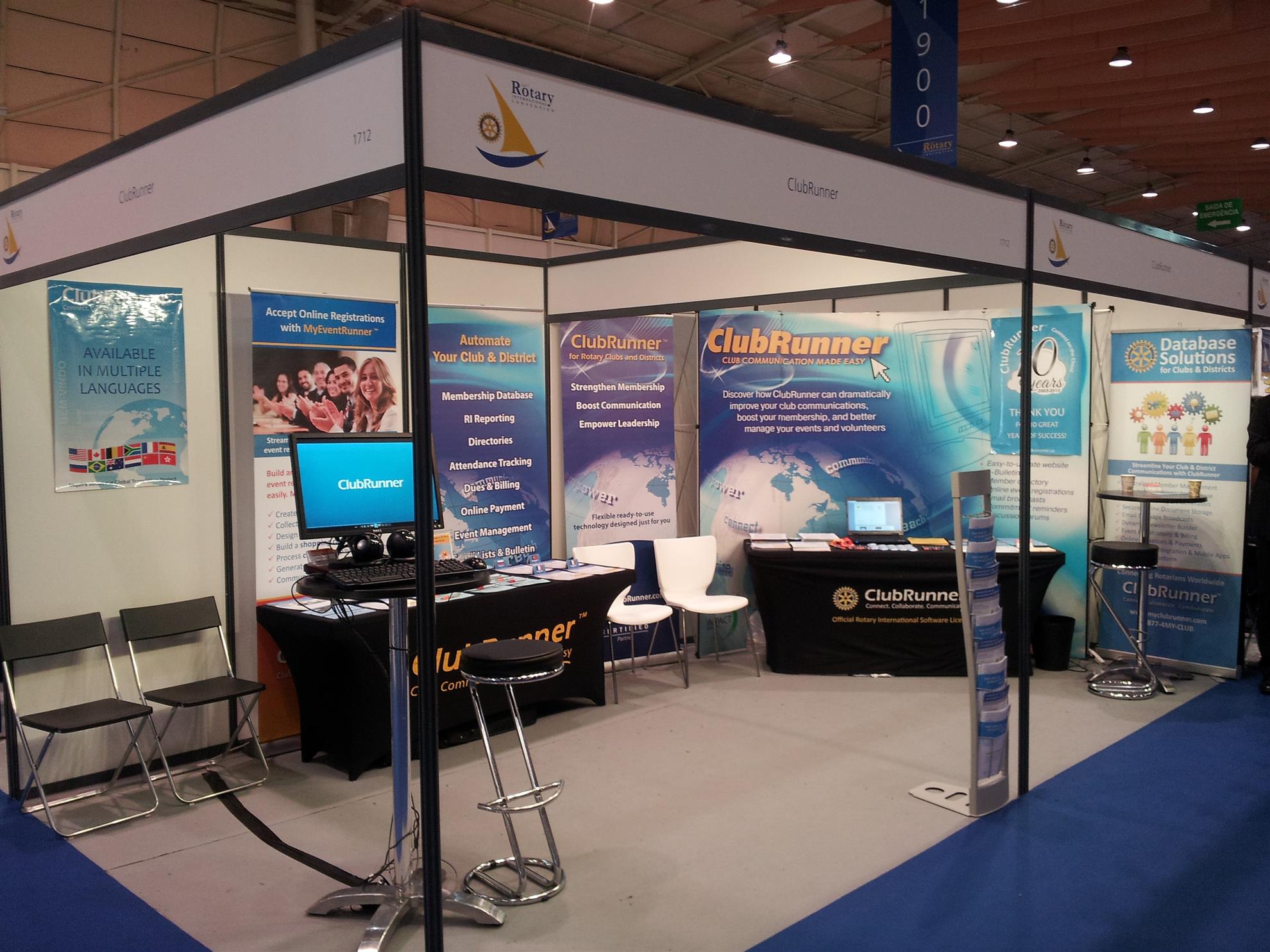
Visit the ClubRunner Booth in Korea

ClubRunner will be at the Rotary International Convention in Korea in May and are hoping to see you there.

We have some exciting plans for this 5 day event where we're going to be celebrating the launch of many of our new features to help boost your PR.

Won't you come visit us?


Located at Booth #2926 and 2928, come by and meet the faces of ClubRunner, share your experiences with us and members of the ClubRunner community and best of all celebrate the launch of our all-new Bulletin Designer!


Celebrate your Rotary story


Visit us our booth to see how we can help spread your message to your audience with our new PR features.

1. The all-new Bulletin Designer - Simplicity Reinvented

Be the first to get a sneak peek of our easiest designer yet. We're going to be celebrating the official launch of this feature with you at the convention.
  • See your newsletter come to life with the live email editor and never worry about jumping from the editor window to preview mode again
  • Select from one the many pre-designed customizable templates, add your message and you're set. Prefer creating your own design? Select from one of the many blank templates, add your own flare and send away.

2. Next-Gen Website Themes
  • Looking to give your website a face lift? Check out our new line of modern website themes.
  • Not only are they mobile responsive, these themes also include new wider page styles with menu navigation above the fold, rotating image carousels, and even homepage options without a banner.

3. Contacts
  • Integrated with your own bulletin and email, expand your network and engage with your community using the Contacts module.
  • Get organized by creating custom groups and segregate your lists by friends, prospective members, sponsors and more.

What else is happening at booth #2926 and 2928?

It's going to be an action-packed week. Come by and join Jeffrey, Mickey, Maxim and Divya for:
  •  website and bulletin enhancement workshops
  • tips and tricks for best practices
  • draws for some very exciting prizes 
  • and so much more
We can't wait to see you there!

Monday, April 25, 2016

Tip of the Week: Photo Carousel

Did you know that you can add a rotating picture carousel on your website?


You've asked for it in the past, and many have even used third party services to add a rotating carousel on your website, but did you know that you can add this to your website from within the Website Designer itself? Not only that, you can add multiple carousels to your website.


The Carousel widget is available under the Essentials tab in the designer and can be placed anywhere you'd like on your website. Best of all, you don't need to know any HTML to add it.

How does it work? The carousel widget takes pictures from your photo albums, which is why we recommend you first create a separate photo album specifically for the carousel. The description of the photo which displays as a caption is taken from the text you add to the 'photo title' within the album. As a helpful tip, for consistency, we recommend you use pictures of the same size (width and height) in the photo album.

How do you add it?

1) Once you place the widget on your website editor window, you will be directed to the Carousel setup screen.
2) Fill out the fields and select which photo album you would like to display in the carousel, and then click save.

That's all there is to it! For additional tips, check out this help article on our knowledgebase. 

Monday, April 18, 2016

Tip of the week: Sponsorship module

Many of you are already aware that you have access to a Sponsorship module in ClubRunner. Essentially, this module allows you to let businesses advertise on your website, and all revenue collected is the clubs to keep.

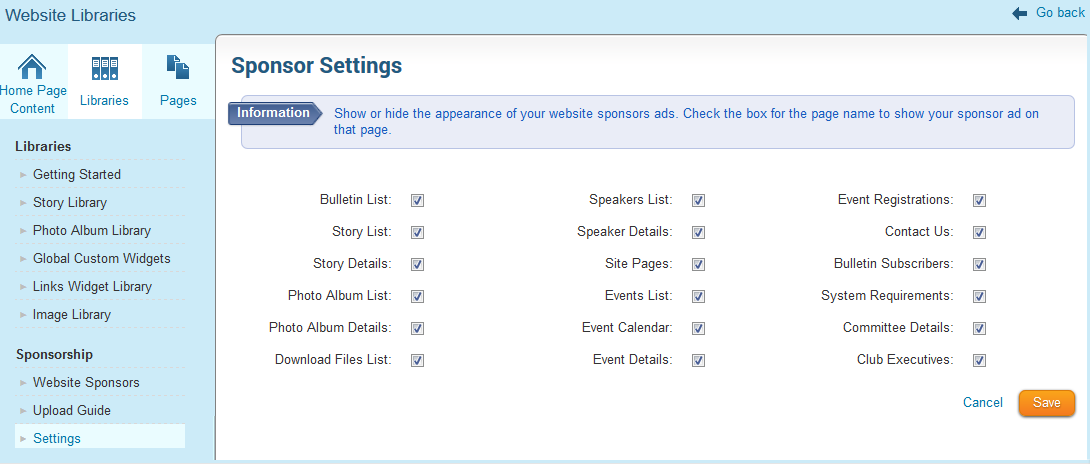
Clubs have the ability to display these ads on the homepage, bulletin and on all secondary pages of the website. Did you know that you can control which secondary pages you want these ads to display on?

How can I change these settings? To view which pages you can have sponsor ads on:

1) Navigate to the Manage Sponsor Ads page and then to the Sponsor Settings
2) Check which pages you want the ads to show on and click save

How are other clubs using this feature? We found that most clubs charge different rates based on how many pages the advertiser chooses to include the ad on, which in turn helps the club fundraise more for their projects. We asked a few clubs to share examples of their advertising structures and found that the majority charge somewhere between $50 - $100 for the ads on the homepage followed by anywhere between $2 - $25 for all subsequent pages per year.

Others choose to display sponsor ads on all pages to give advertisers maximum exposure for one flat rate, while some choose to limit the ads to the home page only. How does your club use the sponsorship module?

Friday, April 8, 2016

Tip of the week: Nav Bar Icon!

Looking to add more flare to your navigation menu? You've asked for this is in the past, and we're more than happy to deliver. Did you know that you can add an icon on your navigation menu to link back to your home page?

If you've switched to one of our Next-Gen website themes, then you now have the option to add a navbar brand icon directly on your navigation menu. A navbar brand icon can be any image that represents your club, whether that be a Rotary wheel or your own club logo. It gets added as a link to your menu, which directs visitors to the homepage if clicked.

What are the benefits? Branding of course! Besides the visual enhancement to your website, adding your club logo or an image associated with your club helps promote your brand to your visitors.

How can I add this? You do have to be using one of our Next-Gen themes in order to customize your menu with an image. In your theme library, you will see that all of the titles of our latest themes will include the words 'Next-Gen'.

To add the nav-bar icon:

1) Go to the Website Settings page and click on Upload Menu Home Icon
2) Select your image from the Image Library to upload

It's that simple!