Welcome to ClubRunner's BlogSpot - the place to stay on the pulse of hot off the press news updates about product developments, service announcements, local events and so much more!
Also, you can initiate discussions and share information among fellow ClubRunner users.
Your feedback is always welcome and necessary to help us make ClubRunner better. We want to know what you like, what you don't and what's on your wish list. Please let us know how we can enhance our service.
A few weeks ago, we announced the new website search feature which we'd added to all websites, right next to the member login link. Wish you could link to the search page from other areas of the site? Now you can!
Link to the search page
You can now link to the new built-in website search page from anywhere on your site. We've included it as an option to link via the navigation menu, links widget as well as any story or custom page.
How do I link to it?
It's been added under the Built-in pages option.
Select the text you want to hyperlink and click on link on the toolbar
Select built-in pages from the drop down menu and then on Search
If adding the search to your navigation menu, give the menu item a title and then select the page from the built in pages option.
Have a suggestion on a feature? Email us your feedback!
It's here! You asked for a more intuitive, fun and easy way to create your bulletins and that is just what we delivered. Introducing the all-new Bulletin Wizard - simplicity reinvented.
Over the past year, we've been collecting feedback on what you wanted to see in the Bulletin Designer. Through online webinars, President Elect Training Seminars, conventions and conversations via email and phone, your suggestions filled our wishlist with functionality that would make up an ideal bulletin module.
Welcome to the Bulletin Wizard!
Currently in beta, this new designer will let you create professional, modern and mobile-friendly bulletins that stand out.
See your newsletter come to life with the live email editor and never worry about jumping from the editor window to preview mode, again.
Select from one of the many pre-designed customizable templates, add your message and you're set, which means you don't ever need to start from scratch.
Prefer creating your own design? We've created blank templates with a number of supporting page layouts so you can add your content, tweak the colors and send away.
Whether you're looking to match the Rotary Brand guidelines or your own unique style, engage your readers with newsletters that capture attention and make an impact. Thoroughly tested on all email clients, browsers and devices, we guarantee that all our designs will look great on all platforms.
How do I access it?
Now installed on your club and district website, you will see a new tab titled "New Bulletin (Beta) appear on top of your Admin page, next to the current Bulletin tab. You still have access to the current designer and can use both modules. Eventually, the current designer will be replaced by the new Bulletin Wizard.
Help resources
To help get you started, we've created an interactive Bulletin Manual introducing you to the new designer, which you can access by visiting: http://docs.clubrunnersupport.com/bulletin.
Join us for our introductory webinar
Join us as we introduce you to the new Bulletin Wizard. We'll go over everything that is new and how to get started.
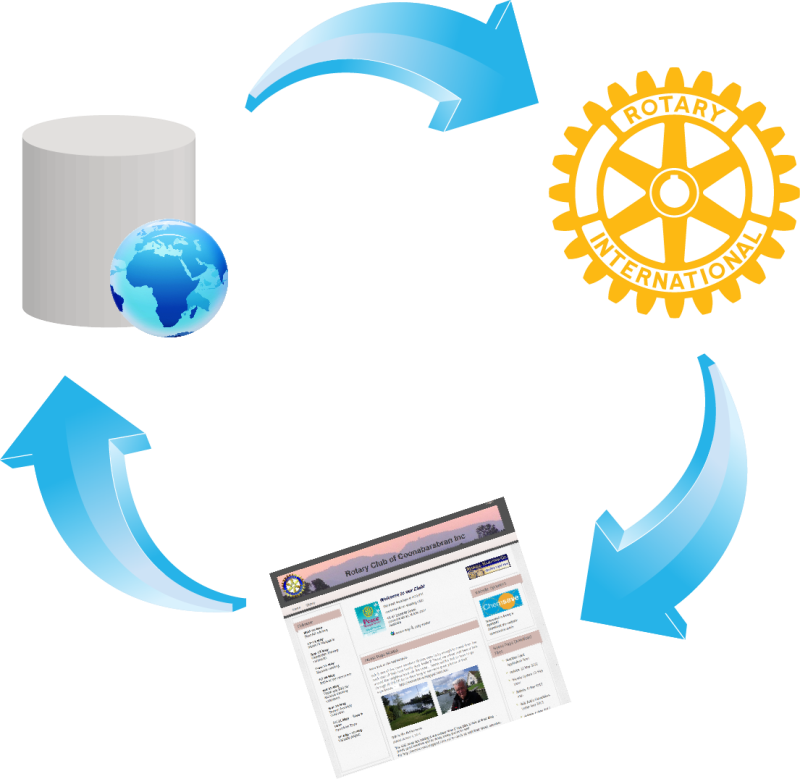
We were almost nearing the end of the convention and yet we still had so much to cover! Day 4 began with Maxim, Manage of Software Development joining Peter Markos, CIO of Rotary International at a plenary session covering database integration between Rotary and its Official Licensees. Over the past few months, we've been working with Rotary's data division to upgrade the sync feature as part of our new Licensee agreement. As such, with this new upgrade, we'll be able to:
sync new member additions immediately
support change in member types between active and honorary
sync additional club info fields such as email, phone, fax
support additional membership fields such as birthday and spouse
Of course, we'll continue to add more fields as and when they become available from RI. During the plenary session, we were able to answer a lot of questions that the audience had about ClubRunner and the advantages of activating the data sync feature. If your club or district has not yet activated this feature, learn how you can do so.
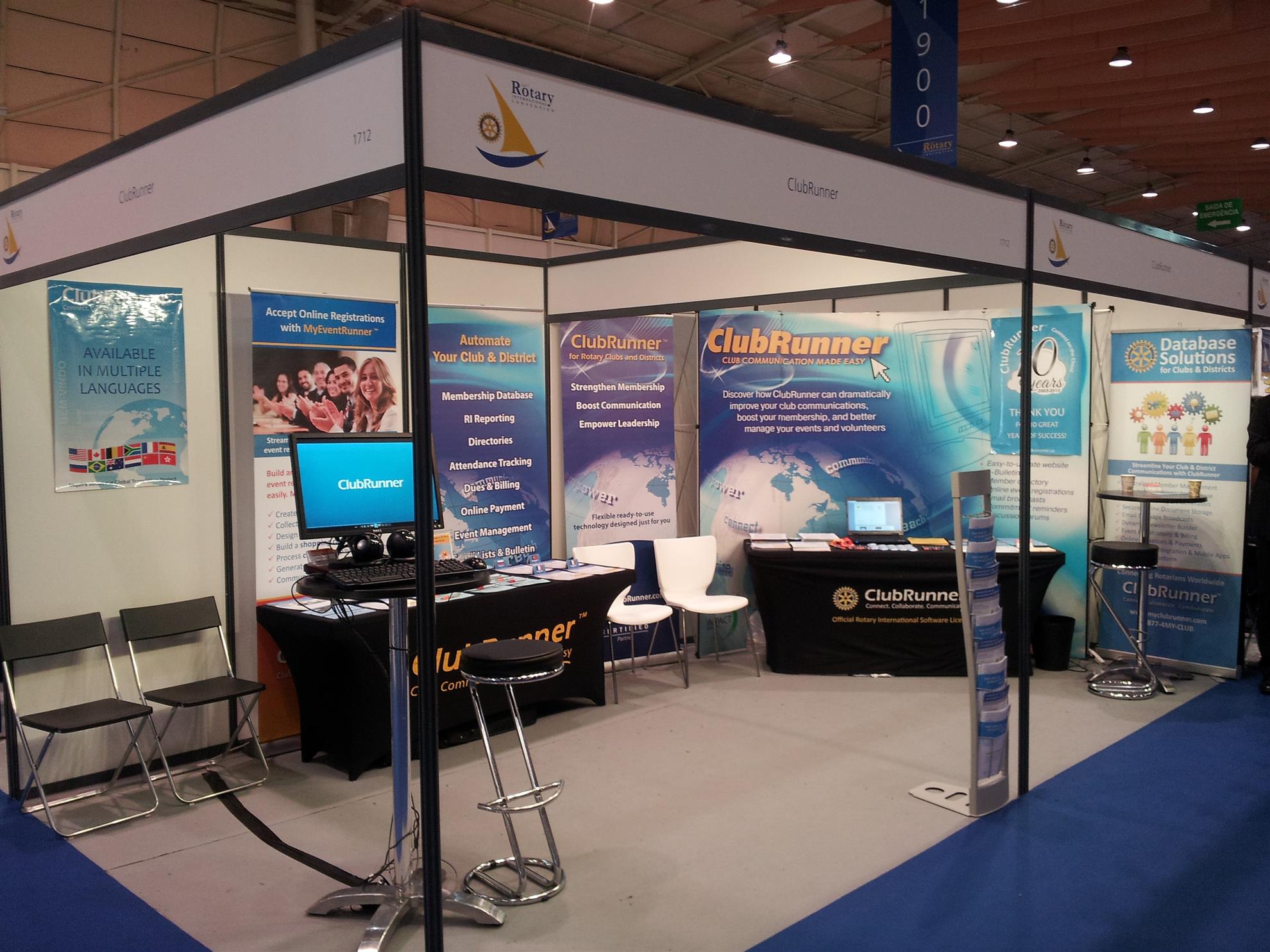
As the day progressed, we had many of our customers visit us to check out what's new. From downloading our mobile app to getting a sneak peek at the Bulletin Wizard, our booth was buzzing with activity.
Day 5 brought with it a bag of mixed feelings. On one end, we were excited and happy to meet all of our customers and new friends while on the other end of the spectrum, sad that the week long event was coming to a close.
Right from the first bell signifying that the House of Friendship was open till the very last announcement closing the hall down, every demo station we had setup was full as our team held interactive sessions on how to combat the common challenges that clubs face, such as attracting younger members, reaching a wider audience, engaging with your audience, and more. We welcomed tips from all clubs and it was great to see everyone sharing their own best practices. Over the next few weeks, we'll be sharing these best practices to help get you ready for the new Rotary year.
During the week long event, we also had many people enter our raffle for their chance to win a free one year subscription to ClubRunner. We'll be announcing the winners soon, stay tuned!
Thank you to everyone that visited the ClubRunner booth and made this event memorable. If you have any pictures you want to share with us, join the conversation and get connected with us on Facebook.
Another great day, today we held multiple demo and training sessions going over all the tools that can help you improve your Public Relations.
The day began with a series of sessions on the Website Designer, where we showcased our Next-Generation website themes and went over all the best practices to remember when editing your website, such as:
Visualization: capture the attention of your visitors with imagery because as the saying goes, actions speak louder than words. Showcasing your club from a visual standpoint promotes your club much more effectively because you're able to give your visitors a better sense of what your club is about immediately. Use the built-in photo carousel as a banner to immediately create that visual effect.
Content is king: The fact is simple. An updated website will draw many more visitors than one that displays outdated information. Add content quickly using the custom widgets and stories.
Ease of navigation: Your website is the first place visitors come to learn more about your club, so if they can't navigate from one page to another easily to access the information they need, that impacts your bottom line. Categorize and sort your pages and link them directly to your navigation menu.
As the day progressed, we hosted a series of sessions related to Public Relations where we then went over integrating your social media channels with your ClubRunner site, building multiple bulletins for your segmented recipient groups and connecting with your club on the go through our mobile app.
We also got some great feedback on what you would like to see in ClubRunner. Thank you for taking the time to sit with us and give us your detailed suggestions.
If you haven't already, be sure to like our page on Facebook to view all the vlogs we're posting from the convention as well as photos throughout the day.
We've been looking forward to this convention all year and finally made it to Seoul, Korea, with some very exciting features to showcase. With more than 43,000 Rotarians attending, the RI convention hashtag for this year, #Rotary16, became a trending topic on both Facebook and Twitter hours before the official opening ceremony. Needless to say, there is a lot of exciting information to share.
Days 1 and 2
We started Day 1 by revealing our brand-new, soon to be released Bulletin Wizard module, and the reactions have been spectacular. If you haven't already caught a sneak preview, click here to view what's coming.
Over the past two days, a recurring challenge we've heard clubs are facing is engaging with their members and non-members and attracting younger members; both of which can be overcome with ClubRunner! In fact, the new Bulletin Wizard and the Contacts module work together to let your club create your message using a branded email template and send it to the right audience at the right time.
At our Next-Generation Website theme Upgrade Station, we've been helping clubs switch their website themes to the newest templates and have hosted some great sessions at our booth going over the importance of a modern looking up-to-date website and what to do to attract the younger generation.
Our team also set up multiple stations at our booth to present all of our latest features, including the Contacts module, Attendance 3.0 and even Volunteers, and have also been going over some of the updates coming soon, such as the RI Database Integration Update, which will offer more options for integration.
If you haven't already, be sure to like our page on Facebook to view all the vlogs we're posting from the convention as well as photos throughout the day.
Official Rotary International Licensees can now offer even more options for data integration!
Over the past few months, we've been working with Rotary International's Data division to upgrade the current data sync feature as part of our new Licensee agreement.
As an official licensee, with this new upgrade, we will be able to:
sync new member additions immediately
support change in member types between active and honorary
sync additional club info fields such as email, phone, fax
support additional membership fields such as birthday and spouse
We'll continue to add fields as and when they become available from RI.
This week, we released the all-new search function which has been added to all ClubRunner websites. While clubs using one of our older website themes will see a search box above the menu navigation, those using one of our Next-Gen themes will see a magnifying glass appear on the top right of the website, near the member login.
Now you can find any story, article, file, photo album (and more) and easily go beyond what's displayed on the homepage. See it in action below!
We get excited about all the features we release, and this time around, it's no different. You asked for it, and we made it happen. With the number of wishlist items being implemented, dare we say, we don't need to search for reasons to celebrate.
Search away!
We're pleased to present the new search function which has been added to all ClubRunner websites, allowing your visitors to search for any item published anywhere on your website.
Where is it? You will see a magnifying glass appear on the top right of your website, near the
member login. Clicking on it will expand the search box to open. The best part is that each search box matches the color and theme of the website template you've selected, which means it blends right in.
How does it work? When logged in, members can even search for items on private pages, making it easier for them to be aware of important details. If not logged in, the search bar will only display results from all stories, custom pages, site pages, photo albums and even events - all items that are meant for the public to see.
While the search will display all relevant results related to your query, you will always see your search term highlighted in yellow on the search results page making it easier to identify what you are looking for.
Now you can find any story or article that you might have missed or wanted to share and easily go beyond what's on the homepage. Give it a try and share your feedback!
With all the updates we've been making to the system, it's only fair to say that we have a lot of news to share. That being said, we recognize that what might seem like real exciting news for us might not be what you're looking for. So, to help share the most relevant information, we've added three new communication channels that you can opt in or out of.
ClubRunner Service Updates
ClubRunner Product Announcements/News
ClubRunner Connect (newsletter)
Now, you and all of your club members can choose what type of communication you want to receive from us, whether that be our bi-weekly service updates notes, information about current and upcoming ClubRunner features or our membership newsletter. If you are a club executive, you have already been automatically opted into all three channels, but can very easily opt out.
Where do I find my communication preferences? Click on the Privacy tab in your member profile to view your club/district and ClubRunner communication preferences.
ClubRunner will be at the Rotary International Convention in Korea in May and are hoping to see you there.
We have some exciting plans for this 5 day event where we're going to be celebrating the launch of many of our new features to help boost your PR.
Won't you come visit us?
Located at Booth #2926 and 2928, come by and meet the faces of ClubRunner, share your experiences with us and members of the ClubRunner community and best of all celebrate the launch of our all-new Bulletin Designer!
Celebrate your Rotary story
Visit us our booth to see how we can help spread your message to your audience with our new PR features.
1. The all-new Bulletin Designer - Simplicity Reinvented
Be the first to get a sneak peek of our easiest designer yet. We're
going to be celebrating the official launch of this feature with you at
the convention.
See your newsletter come to life with the live email editor and never worry about jumping from the editor window to preview mode again
Select from one the many pre-designed customizable templates, add your message and you're set. Prefer creating your own design? Select from one of the many blank templates, add your own flare and send away.
2. Next-Gen Website Themes
Looking to give your website a face lift? Check out our new line of modern website themes.
Not only are they mobile responsive, these themes also include new wider page styles with menu navigation above the fold, rotating image carousels, and even homepage options without a banner.
3. Contacts
Integrated with your own bulletin and email, expand your network and engage with your community using the Contacts module.
Get organized by creating custom groups and segregate your lists by friends, prospective members, sponsors and more.
What else is happening at booth #2926 and 2928?
It's going to be an action-packed week. Come by and join Jeffrey, Mickey, Maxim and Divya for:

 Link to the search page